
Evaluating a POS Software System
A good POS system will help your business increase sales, provide solutions for customer service, and provide valuable data in making financial decisions. A POS system comes in many forms; software hardware, or a web based system.
Be clear about what you expect from your POS software system, before making a decision. Making a list of features that will best serve your business is a good place to start. Whether your business has unusual purchasing programs, or requires specific tracking, extensive research of POS software and systems will help you to determine the right choice.
Basic POS software system features
POS software systems are designed to handle many functions:
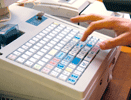
- Display items and prices in a sale
- Handle taxes, returns, voids, payment options, credit card processing, layaway, discounts, accounting reports, and inventory tracking.
- Restaurant versions allow creation of checks by diner or table, special orders, tracking orders per server, moving diners from the bar to a table, and waiting lists.
- Standard customer transactions
Capabilities for Multiple Locations
POS software designed for multi-store locations provides connectivity for all of your stores. This innovative technology gives your business the edge of big-box store type convenience, combined with personalized service. With access to this software, employees at every site are able to transfer and look up inventory, generate cross-store reports, and offer cross-store gift cards.
With this capability for multiple locations, your business will be streamlined from one location to the next. All of your employees will have access to the information they need, to stay connected and informed.
System vs. software or system and software
A major convenience of a web based POS system is its capability to back up all files, via the system's server. The down side to this service is its reliance on an internet connection, along with start up and monthly fees.
A software based POS system has no associated fees and requires no internet connectivity. This type of program is generally easy to install and use. However, you may be required to purchase updates for your software, as well as licensing, as most software is not designed to grow with a business.
Ready to Compare POS Systems Price Quotes?