
Buyer's Guide
Office Chairs Introduction
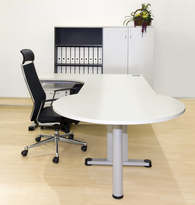
Sitting down on the job can be hazardous to your health. Workers spend seven hours or more seated, and the wrong chair can distract them from the job at hand by causing pain in the back, neck, arms, and wrist.
Businesses always want their employees to be at the top of their game, whether attending a short staff meeting or working in front of a computer all day. Making sure every employee has a quality office chair is the first step to ensuring a comfortable and productive work environment.
With the right chair, you can limit the chances an employee will experience aches and pains in their back, neck, arms, and wrists. And if employees are comfortably seated, chances are they will be more alert and productive.
These days, buying the right chair doesn't mean a choice between selecting flimsy, ugly models or spending a lot of money. Office chair sellers allow you to find chairs in a variety of pleasing designs without having to empty your bank account.
Let BuyerZone help you find a furniture seller that can get you the best chairs for your business. This BuyerZone Office Chairs Buyer's Guide will:
- Explain the importance of proper ergonomics
- Describe what to look for in a chair
- Examine how to choose a provider
- Review the costs and how much you can expect to pay.
Essential Chair Features
A basic office task chair features a strong frame and quality mechanics, and can offer the adjustability options you need for just a few hundred dollars.
There are many key features to look for when selecting office chairs. Deciding which features are most important will vary according to how it will be used. For example, a factory worker who sits periodically to process paperwork or place phone calls will have different needs from a customer service representative who sits at a desk for eight hours a day or longer.
Also, chairs for conference rooms or reception areas may not need as many adjustable options as task chairs because they are used infrequently. (Read more about how to shop for reception chairs.)
- Back support: To prevent slouching, office chairs should provide a supportive fit for the curvature of the user's lower back. Some backrests can be adjusted to an angle that is different from the seat to accommodate different leg lengths. An adjustable curved backrest can add extra support.
- Seat height adjustment: Chairs should be easy to adjust - even while seated - to improve posture and prevent back pain. They may include an attached lever or "gas cylinder" knob that can raise the height of the seat several inches above the floor. This ensures users have their feet planted firmly on the floor, legs kept horizontal, and arms even with the height of the desk.
- Seat width and depth: The seat should be wide enough to support users of varying body types comfortably and deep enough to let them relax against the backrest. The user should check that the chair is one inch wider than the hips and thighs on both sides by measuring the depth of the chair from the front of the seat to where it meets the backrest. That should provide ample room between the back of the calf and the front of the chair.
- Seat cushion: The seat should be cushioned to evenly distribute the user's weight and contoured to the user's body frame.
- Armrests: Armrests can be adjusted vertically or horizontally to support the forearms and elbows while typing, helping employees avoid discomfort in the shoulders, wrists, and neck. Padded armrests can offer even more comfort. Some chairs feature armrests that fold out of the way when not in use.
- Swivel: A swivel mechanism allows the user to move from side to side in the chair without much effort. This lets the user easily reach out across the desk with minimal strain.
- Seat tilt: This lets the chair slope forward to relieve pressure on the spine. A tilt lock keeps the chair upright to naturally curve your lower back and prevent slouching.
- Wheels: You can choose from sturdy wheels that glide effortlessly over thick carpeting or raised floors, or rubber-tipped casters that prevent scratches to delicate surfaces.
- Material: For proper ergonomics, consider chairs with additional padding. They tend to be "breathable" which takes away from some of the user's natural body heat.
Additional customization
In addition to choosing the features of your office chairs, you can also customize their look and feel. Many chair manufacturers allow you to customize the color and pattern of the chair upholstery and select different grades of cushioning. By adding a finish or coating to your chair materials, you can prevent nicks, scratches, and stains while extending the life of the furniture.
Ergonomic Considerations
Before shopping for office chairs, it's important to understand ergonomics, the science of workplace equipment design. If employees such as customer service representatives sit for hours at a time, ergonomics is essential to their comfort and well being.
Every person's body should be in perfect alignment while seated to avoid pain. Properly designed chairs that allow users to adjust the height and depth and should provide ample support for employees of all body types can prevent employees from experiencing prolonged back and neck pain. In turn, practicing ergonomics helps your business avoid costly workers' compensation claims.
Sitting ergonomically
To avoid unnecessary aches and pains and remain comfortable during long shifts, employees should understand that the right way to sit is as important as the type of chair they sit in. Ergonomics impacts the body in different ways.
- To support the natural curve of your lower back, and prevent slumping and back pain, sit with your back arched against the chair.
- Your knees should be a comfortable distance apart with feet firmly planted on the floor. If your feet dangle, it could impede circulation and cause discomfort. A chair should support your thighs but prevent the backs of your knees from touching the seat.
- Make sure your legs rest at a right angle to your body, perpendicular to the floor, with your thighs resting against the cushion.
- Your arms should be parallel to your spine. This allows you to easily reach your keyboard or phone without straining your wrists, shoulders, or neck.
- It's important that your eyes remain focused on the center of your computer screen while seated to avoid eye strain and neck pain.
To help you remember these key points, every major chair manufacturer provides instructions with each chair that explains how to adjust it correctly. And if you order a large number of chairs, a sales representative may even hold an ergonomic presentation for your staff.
Choosing a Seller
When shopping for office chairs, you have three purchasing options:
- Retail superstores purchase chairs in bulk so they can sell them to the public for very low prices. However, the chairs are typically not durable enough for everyday use: even if the initial purchase price is cheap, you may find yourself buying new chairs every year or two. Selection and customization is also severely limited at superstores, and their chairs may not have the ergonomic benefits your employees need.
- Direct sellers can offer office chairs for 20% to 40% below retail prices because of exclusive relationships with a select few manufacturers. Although you can get a good deal, you may not get the support and attention of a dedicated seller. Also, sellers may require you to ship damaged items back to them for repairs.
- Chair sellers may cost the most of the three options, but you get more in-person support to review your chair options and test samples. If a chair needs repairs, sellers can send someone to your office or ship new product and pick up damaged goods. Since sellers work exclusively with furniture manufacturers, you also have access to a broader selection of different brands.
What to look for in a seller
Above all, make sure the seller offers chairs that are ANSI/BIFMA compliant. This means their chairs adhere to specific safety, durability, and structural integrity standards for furniture. They're also required to note their weight capacity so you know how much stress they can handle. Buying compliant chairs will assure your employees get comfortable seating without injury risk.
When shopping for office chairs, look for established sellers with a solid reputation. Longevity is a strong indicator of a business' ability to keep customers happy and provide quality service long after the sale.
Whenever possible, it's beneficial to meet with chair sellers in person rather than shop out of a catalog. You can either meet at their showroom to see what they offer, or invite them to your location to examine your office space and suggest which chairs may work best. Vendors may even provide you with sample chairs to try for a few days to see if they're the right fit.
Make sure you consider factors other than price as you evaluate sellers. For example, see what kind of attention the seller shows you during the buying process to get an indication of how they might treat you after the sale. Also, what kind of customer service they offer if there's a problem such as phone support, email, on-site repairs.
References
Finally, get a list of references from the sellers you're comparing. Request references from businesses similar to yours to find out how the seller met their needs. Be sure to ask such question as:
- What kind of chairs did you purchase?
- How quickly did you receive the chairs?
- Did the seller offer the features you needed?
- What kind of warranty did your chairs come with?
- Were you able to test out chairs before buying them?
- Did the seller charge extra for delivery and assembly?
- How was your relationship with the seller after the purchase?
Pricing
You can find discount chairs for $30 to $100 each at a retail superstore, but these types of chairs are simply not a good investment for everyday business use. Low-cost chairs may not be durable or have the ergonomic features to prevent workplace injuries among employees who sit all day. They're basically a solution for home offices or small businesses looking for cheap and quick furnishings.
Read actual prices BuyerZone users paid for their purchases.
Quality ergonomic task chairs can cost $200 to $400 apiece. Expect to pay more for extra features such as customized upholstery, four-paddle adjustment controls, or adjustable armrests. You typically have a choice of a few factory colors, or you can pay extra colors that need to be special ordered. Depending on the seller, you may get a discount based on the number of chairs you buy (typically 25 to 50 or more) or a minimum amount you spend ($2,000 to $5,000 or more.)
If you're on a tight budget, you may want to look into used chairs. While a very cost-effective way to furnish your office, it's difficult to tell how much life is left in the chairs. Also, if your chair needs repairs, you may not be able to locate replacement parts.
Expect to pay considerably more for high-grade executive chairs. These chairs generally help management offices make a statement with fine wood frames, genuine leather, and additional comfort settings, but carry a hefty $1,000 to $2,000 price tag. Note that even though high-end chairs cost substantially more, they may not be significantly more comfortable than a standard task chair. If you want the look of genuine leather without the high price tag, a chair dealer can substitute high-end vinyl for $250 to $500 per chair.
Metal folding chairs or stack chairs lack adjustability options, but provide a quick, inexpensive solution for temporary use such as assemblies or conferences. Stackable chairs cost $40 to $90; metal folding chairs run about $20 to $50. You can also purchase a dolly to transport multiple chairs at a time for about $200.
You may need to pay extra for shipping and assembly charges. Unless it's included as part of your purchase, expect a flat rate of $100 to $250 for an order of 50 chairs or an hourly rate of $20 to $40. Some sellers may provide a better rate with larger orders. You can pick up the chairs and put them together on your own to save a few dollars, but if anything is damaged or improperly assembled, it's your responsibility and that can cost you more in the long run.
A seller can get you set up with stock office chairs in two to three days. If you require customized or high-grade chairs, it could take two to three weeks or longer. Many sellers will have the chairs ready a few days early if you're willing to pick them up from the warehouse.
Warranties
Most office chairs feature a limited lifetime warranty that covers the owner for the first 5 to 10 years. The warranty guarantees that the chairs are free from substantial defects but doesn't cover normal wear and tear. Also, if you alter the chairs in any way, it automatically voids the warranty. Some sellers offer extended warranties that cover the chair beyond 10 years. However, you may be in the market for brand new chairs by then and it may not be worth it.
Buying Tips
Avoid embarrassing situations. Overweight employees that need special chairs to support their weight could feel embarrassed by the extra attention. Manufacturers can furnish special chairs with adjustable options such as pneumatic lifts to support users with large frames. These chairs provide extra support but look exactly like standard office chairs so other employees don't notice the difference.
Pay to assemble. Look for a chair seller that will assemble the chairs upon delivery. Many chairs are packaged in parts and require assembly at the point of delivery. While the work may be minimal, you will be fully responsible if it's not done properly or breaks. Assembly can cost extra but offers peace of mind that the job will be done right.
Skip soft chairs. Soft, open-cell foam may feel comfortable, but after a while, the lack of firmness limits support. If the seller will customize the upholstery for your chairs, ask for material that will contour to the user's body type and provide all-day comfort like molded memory foam.
Ask about repairs. A full-service chair seller may recommend an inspection and maintenance schedule. Make sure to ask whether parts can be replaced in your office when repairs are required.
Move around. Regardless which office chairs you buy, stress to your employees the importance of getting out of their chairs every few hours to walk around and keep blood circulating and avoid cramping.