
How to Buy a Used Copier or Refurbished Copier
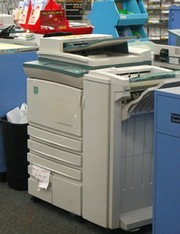
(Photo: 24thcentury)
The hefty sticker prices on new copiers encourage many businesses to consider buying used copiers. Often, this can be a smart choice: properly refurbished copiers can be a dependable part of your office for years.
Note that we say "properly refurbished copiers:" simply cleaning the outside and making sure it still works is not sufficient. Before buying a used copier, ask the dealer about their refurbishing process. Used copiers should be thoroughly cleaned inside and out, have all worn parts replaced, and be inspected for any potential problems.
Because of this extensive maintenance, refurbished photocopiers should come with a warranty: 30, 60, or 90 days are most common. Talk the dealer up on this: don't settle for a 30-day warranty. Even a used business copier can cost thousands of dollars, so you should make sure your investment is protected.
Whether buying new or used copiers, it's best to buy a maintenance agreement that covers all the parts that typically wear out or break, including the belts and drum. When buying a used copier, the insurance is definitely worth the cost of the service coverage.
Many copier dealers will sell a used copier "as-is" for even steeper discounts, usually with no warranty or one as short as 14 days. While the initial price may be attractive, you'll probably wind up paying more in the long run in repairs and maintenance for this reconditioned copier.
Whether you are buying new or refurbished copy machines, here are four questions you'll need to answer:
- What do you need the copier to do?
Modern digital copiers are sometimes referred to as "multifunctional products" because they can do more than just copy. Almost all are also capable of printing, faxing, and scanning. You may want extensive document handling and sorting/stapling features. And you also need to decide whether you need a copier that supports color - expect to pay 20% to 30% more if you do.
Avoid the temptation to buy a used analog copier. Not only are they are more prone to mechanical failure, but since manufacturers are phasing them out entirely, support and parts may become more difficult to find in the coming years. - What is your volume?
Start with your current copy volume. Your monthly paper consumption, the built-in counter in your existing copier, and your print shop receipts can all be used to help determine your current volume.
Once you have a rough volume figure, increase it by at least 20%. This will help you account for future growth, as well as compensate for the somewhat inflated monthly copy volumes set by manufacturers for their models. Even though properly refurbished copiers should perform almost as new, overworking a refurbished photocopier is the quickest route to frustrating downtime, so you're better off not pushing it too hard. - How fast do you need it to print?
Copier speed is measured in pages per minute (ppm): the number of letter-sized pages the machine can produce in one minute when running at full speed. Most offices will get by comfortably with machines in the 20 to 50 ppm range. - What do you have in the budget?
While the total cost will vary from machine to machine, there are some basic ranges depending on the type of copier you're looking at. In general, you can expect to pay around 50% to %70 less for a used copier than a new machine. That said, most of the models available tend to be business and production models, as the smaller home office copiers tend to be used to the point of no return, retaining little resale value.
Specific price ranges include:
- Mid-range business copiers - $450 to $2,000, with a large number of models in the $750 range
- Production copiers - $1,700 to $17,000, with a large number of models falling in the $2,000 range
NOTE: Prices will be slightly higher when purchasing a refurbished copier through a professional dealer in comparison to other options. But these machines also typically include a warranty on the machine itself and are backed by a service plan - two upgrades that are beneficial and even critical if the machine represents a major factor in your business.
Used copier buying tips
- Don't go all-in. The $150 all-in-one printer, scanner, and fax machines are useful for home offices only. Per-copy prices are much higher and they're not built to handle a business copy volume, so stay away from them for any multi-person office.
- Check the odometer. Copiers have built-in counters that track total usage. Ask your vendor what the "mileage" is on the machines you're considering, and then check for yourself once the machine is delivered.
- Find a dealer you can work with. You should buy a remanufactured copier from a dealer who you can trust and build a strong relationship with. Try our quote request service to find a reliable dealer.