
Buyer's Guide
Kiosks Introduction
Imagine being able to hire additional employees without paying them a salary. While that can land you in trouble with human workers, installing kiosks at your business can be an attractive alternative. Kiosks are user-friendly machines that act like virtual employees, collecting and delivering information quickly and consistently without human interaction.
The interactive kiosk industry was booming as recently as 2009. According to the latest industry report released by Research and Markets entitled Global Interactive Kiosk Market 2012-2016, the interactive kiosk market is anticipated to grow even further - up to 15% in the next three years.
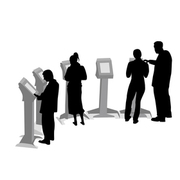
The reason for this unprecedented growth in the industry can be attributed to two specific factors:
- Larger number of tablet users
- Higher kiosk adoption rates
Businesses of all shapes and sizes are becoming more open to the interactive kiosk concept since it can provide a variety of services from simple to complex:
- Printing professional-quality digital photos
- Managing self-serve checkout lines at supermarkets
- Checking in and printing boarding passes at the airport
- Printing or displaying detailed directions, grades, retail pricing or availability, bridal registries, and more
- Allowing customers to browse in-store catalogs at big box retail stores
- Accepting bill payments
- Renting DVD movies
- Taking job applications
- Verifying fingerprints, iris scans, or other security measures
- Filing electronic employee schedule requests through an HR department
- Training employees on new software or office protocol
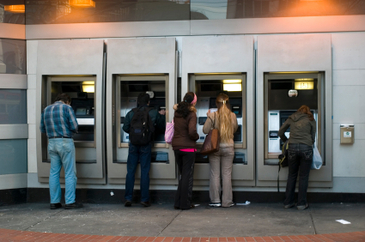
You're probably more familiar with kiosks than you think. The most common kiosks, the ATM, have been around for decades. (Read more about ATMs.)
If your business' needs don't fit the "kiosk mold" described above, not to worry. Interactive kiosk manufacturers are thinking outside the box to cater to almost any business model. Take the example of the Nestlé Group that recently placed interactive Nespresso coffee machine kiosks in 250 locations. Since Nespresso coffee capsules are normally only available online or in boutique stores, the introduction of the kiosks created quite a buzz. Nespresso confirms that kiosks will be used to improve their customer image and speed up purchase time.
This BuyerZone Kiosks Buyer's Guide will detail the types of kiosks you can provide for your business, the touch screen technology and display options available, your purchasing options, and the various costs involved.
To begin, the first thing to explore is the variety of basic features and customizations available - not to mention the need for security. Get started here.
Electronic Kiosk Basics
An electronic kiosk is simply a durable structure containing a computer that enables customers, employees, and the general public to have self-serve access to services or goods. By navigating on-screen menus using a finger or an attached stylus, a user can perform a variety of activities, such as inserting payment, providing information, or choosing products. Many electronic kiosks connect to the Internet or an intranet, either with a landline or wireless access, allowing users to get real-time information when necessary.
A full-size, or freestanding, electronic kiosk typically measures five feet high by three feet wide and can weigh 100 to 250 pounds. An electronic kiosk is designed with an average viewing distance of 1 to 3 feet for a 42 inch LCD screen. Although large, it is easily portable with removable wheels or enough room to wedge a hand truck underneath. You can then secure it in place by bolting it to the ground.
Smaller versions of electronic kiosks, known as countertops, have a more compact form factor and weigh considerably less - a countertop tablet kiosk can weigh as little as 2.5 pounds. Most kiosks feature a touch screen monitor and a printer. They can also include other components, such as a credit card reader, bill acceptor, camera, or an external keyboard and mouse.
Customizations
A number of interactive kiosks are available as one-size-fits-all solutions. However, many sellers recommend customizing a kiosk to meet a specific business's needs. The intended use of a kiosk could impact the design and accessory setup, as well as the control interface. For example, a kiosk used for information or training in a retail store may require a control interface that switches automatically between a PC and media player.
A standard kiosk will normally come with several basic components with the potential for upgrades/customizations:
- CPU - Often a personal computer supplied by the manufacturer.
- Display device - Such as an LCD monitor.
- Additional peripherals - Including interactive accessories, like a keyboard and mouse, or touch screen features.
- Exterior signage - Used to advertise a business and the purpose of the kiosk.
Electronic kiosk hardware is designed to run 24 x 7 x 365. An enclosure surrounds and protects the computer and components, allowing the electronic kiosk to withstand public abuse and wear and tear. It can also incorporate security cameras and alarm systems to make sure that people are using it appropriately and monitor employees and service technicians who have access to cash cassettes.
Security considerations
Depending on its placement, you will want varying levels of security for your electronic kiosk:
- Fully-attended kiosks are always in full view of an employee, such as a patient information kiosk in a doctor's office. They are difficult to steal or vandalize, so they don't require much security.
- Semi-attended kiosks are those in view of your staff, but not always watched, so some additional monitoring or security can be a good idea.
- Non-attended kiosks are located outdoors or in the middle of heavy traffic areas like shopping malls. These are rugged and bolted to the ground and may include intrusion alarms and CCTV monitoring, similar to an ATM. (Learn more about CCTV monitoring.)
The lifespan of an electronic kiosk is generally three to 10 years, depending on the quality of the machine. Lifespan may hinge on the type and amount of additional components built into a kiosk, including printers, keyboards, cameras, card readers, LCD monitors, and Bluetooth sensors. Quality components built by a reputable manufacturer can support a longer kiosk life expectancy, even with regular use.
Buying tip: The best way to guarantee a return on your kiosk investment is to focus on maximizing the lifespan of kiosk hardware; kiosk CPU capabilities should be matched with their intended use, and equipment must be installed and maintained by a professional technician.
Depending on your intended placement (and budget), there are a few types of touch screens to choose from. Next, find out how they compare, as well as the applications they are most commonly used for.
Touch Screen Kiosks and Displays
When you purchase a touch screen kiosk, the user experience you provide is a top priority. You want to make the on-screen menus easy to navigate and allow the users to clearly view the kiosk’s functionality. The types of touch screen and display you choose depends on your audience, how they plan to use the kiosk, and which technology best suits your application.
Just like they sound, touch screen kiosks allow users to enter information and navigate through menus without a keyboard or mouse. They can be used millions of times without losing performance. However, the environment and usage patterns will determine which type of touch screen is best for you:
- Resistive touch screen kiosks are the most common, particularly for demanding point of sale applications, industrial spaces, and medical facilities. They can be operated with a finger, a gloved hand, or a stylus. Resistive touch screens are durable, dirt-resistant, and provide high touch resolution, but the clarity of the display is low and sharp objects can harm the sensitive screen.
- Surface acoustic wave (SAW) technology might be best for the public information sector and high traffic businesses, SAW displays offer high picture clarity and resolution, but the screen isn’t sealed, so it is subject to damage from moisture and debris.
- Capacitive screens are durable, high clarity solutions for industrial businesses and restaurants – they feature a tight seal to keep dirt out. They’re moderately priced, but you can only activate them with your fingertips, which could hinder users wearing gloves.
- Infrared touch screen kiosks can handle the dusty and harsh conditions of warehouses and factories, included gloved users, but are difficult to view in direct sunlight and may be sensitive to motion and false touch.
For many New York City residents, the future has finally become reality as 47 inch touch screen kiosks were introduced in the NYC subway system. The subway kiosks were designed by the technology consultancy firm Control Group in a pilot project to test the new 3M-built dispersive-signal technology (DST) in a public setting. Instead of using familiar capacitive touch technology, the kiosks employ DST that reacts to touch position based on vibrations. Of course, the kiosk screens are virtually indestructible to protect the expensive hardware from subway vandalism.
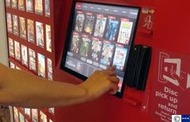
Kiosk display
The type of display your touch screen kiosk features will also determine how clear and brilliant your presentation will be. You need to consider many factors including cost, size, durability, and availability when choosing a display screen.
Liquid crystal display (LCD) screens are the industry standard for most touch screen kiosks and modern computer monitors because of their thin form factor and high quality. This technology can also run with limited problems after several years of intense use. Although the price has dropped over the years, LCD screens can still be pricy, particularly for larger, higher-quality models.
A run-of-the-mill LCD kiosk monitor can be equipped with a number of features to improve performance, such as:
- Privacy filter. A touch screen kiosk monitor can be upgraded with a privacy filter that protects on-screen information from sideways glances; viewers will see a dark screen unless it is viewed head-on.
- Sunlight readability. A kiosk monitor used indoors will emit roughly 300-350 units of light; in order to read a monitor outdoors and in sunlight, it must emit up to 1100 units of light. A touch screen monitor with high light features must also self-adjust so that it can be used outdoors at night.
- Heating/cooling. A kiosk that is used outdoors will need an internal heating and cooling feature to withstand temperature changes. Many units may also come with a built-in thermal heat shield wrap, as well as a visor to protect the monitor from direct sunlight.
At the high end, plasma displays offer accurate picture with almost 16.7 million different colors. Businesses may appreciate the eye-catching technology for advertising or promotions, but the high cost is a deterrent. Also, plasma tends to heat up quickly and is susceptible to screen burn-in. For this reason, plasma displays may not be recommended for outdoor use.
Buying tip: The newest touch screen kiosk trend is large screen display. Businesses looking to market in an attention-getting way in a public location can use a large screen touch kiosk for this purpose; as an added bonus, extra-large touch screens will make kiosk use easier for elderly or visually impaired customers.
Your next step is to consider three of the most popular types of installation and factor these options into your facility. Where could the following kiosk designs fit into your layout?
Specialty Features
There is more to a kiosk purchase than just selecting the technology and understanding how it works. You also have to consider the physical characteristics of a kiosk and where to place it.
Enclosures
In some cases, kiosks are ready to operate right out of the box. But part of the appeal of a kiosk purchase is the ability to customize the enclosure. A kiosk seller can paint it with your choice of colors or a design incorporating your corporate logo. You can even have your kiosk enclosure cut into complex designs or unique form factors.
Beyond aesthetics, there really isn’t a huge difference between off-the-shelf and customized kiosk enclosures. You just have to take form factors into consideration: if you want to include specific components such as security devices or credit card readers, or a larger display, you need to make sure your custom enclosure can accommodate them. Also, it may be impossible to return or resell a kiosk with a custom enclosure if you decide you can’t use it anymore.
As a word of caution, protective kiosk enclosures do much more than provide an attractive package for customers. Well-designed kiosk enclosures should be equipped with proper cooling features to prevent internal hardware from overheating. Kiosk enclosures must have well-ventilated air passages that offer constant circulation, in addition to internal cooling devices.
Mini, countertop, and freestanding kiosks
Mini kiosks are a recent trend in kiosk display, offering retailers an even greater opportunity to conserve floor and counter space without compromising customer interaction. Some sellers now offer "shrunken" versions of full-size, freestanding kiosks to use for on-the-floor price checks, credit card processing, shopping assistance, and information display (including gift registries).
In the next step up, a countertop kiosk, designed to sit near a retail point of sale, is a good solution for businesses that have limited floor space; countertop models take up roughly 25% to 50% of the room of a freestanding kiosk. The most prevalent example of a countertop kiosk is the digital photo kiosk, which allows customers to print professional quality photos with minimal staff assistance. Countertop kiosks can be prone to possible damage and even theft, particularly in unguarded areas.
While mini and countertop models may cost one quarter to one half the price of freestanding kiosks, freestanding models are more secure and sturdy. Their size and display make them best for unsupervised areas, since you can bolt them to the floor to deter theft. You also have more room for peripherals and additional space for display advertising and branding to attract customers. However, freestanding kiosks have a larger footprint and aren’t as mobile as countertop kiosks.
Outdoor kiosks
If you intend to install your kiosk outdoors, you need to make a kiosk purchase that can withstand severe shifts in weather – sun, rain, snow, wind, and pollution can shorten a kiosk’s lifespan. Outdoor kiosks should feature steel or aluminum enclosures, scratch-resistant touch screens, and temperature-controlled interiors. If possible, placing an outdoor kiosk in a partially enclosed area or underneath an awning can make it last much longer.
As mentioned above, look specifically for a kiosk monitor that is built with outdoor-friendly features: sunlight readability and heating and cooling components, to name a few. A weatherproof, watertight enclosure is also critical to shield expensive internal hardware from moisture corruption. Kiosk manufacturers can build an enclosure based on the correct NEMA (National Electronic Manufacturers Association) enclosure rating for anticipated weather exposure, i.e. light dripping, direct water, sleet/snow, etc.
An outdoor kiosk purchase can cost considerably more than a standard kiosk – as much as double in some cases. The operating costs are about the same, but depending on how much you put into components and safety features, it may take a lot longer to see your ROI.
Buying tip: A lower price tag shouldn't be the deciding factor to determine kiosk enclosure materials; using cheap components to save a buck could cost you in the long run in expensive repairs and/or irreparable damage to the unit.
Selecting a kiosk seller is somewhat different than choosing another type of vendor - a kiosk seller is typically highly specialized. To find the best seller for your business, we've created a five-step process that will quickly help you eliminate those that don't pair with your specific needs.
Choosing a Kiosk Seller
The kiosk industry features a very segmented distribution of sellers. Most kiosk sellers are small, independent “mom-and-pop” operators that work with smaller companies looking into kiosks. The biggest retail chains work directly with direct sales reps from the bigger kiosk manufacturers.
Regardless of the type of kiosk seller you work with, make sure to meet every potential partner. Here are several tips to help you find a kiosk seller that will build a solution that suits your needs:
- Consider a seller's specialty. Some sellers deal exclusively with one type of kiosk such as digital photo or ticket kiosks – determine the seller’s level of expertise in the type of kiosk you want.
- Carefully evaluate the kiosk software. Most kiosks come with commercial off-the-shelf software that’s inexpensive and easy to maintain – but it can limit how much you can customize your application. Some companies specialize in creating unique kiosk applications that are tailored to your company.
- Ask for a software demonstration. Any reputable kiosk seller will be happy to provide a full demonstration of software that performs functions similar to yours to give a sense of the look and feel. Look for customization options that could better suit your business goals.
- Don't shop based on price alone. When purchasing sensitive technology like a touch screen, beware of kiosk sellers offering equipment at drastically reduced prices. You want to make sure your seller will be around if the screen fails to repair the problem or replace the unit.
- Inquire about warranty. A brand-new kiosk must come with a protective warranty. Being able to utilize a warranty will help to prevent unnecessary downtime that could cost your business valuable time and money. A basic one year warranty to cover repair and replacement is recommended with options for an extended three year warranty available.
To ensure that your money is well spent, it pays to look for a seller that incorporates the latest kiosk technology. Kiosk advancements are hitting the market at rapid speed, some of which now include kiosk compatibility with portable devices. If a customer already owns a mobile device with a web browser, a kiosk can conveniently supply them with a web link on their smartphone to access a map, graphics, or further information.
Buying tip: Tech-forward kiosk sellers may not charge significantly more than their competitors. Taking the time to research a seller that offers the newest technologies, including mobile compatibility, can offer the greatest return on your investment.
A kiosk is an extension of your customer service and is often the preferred method one among many consumers. This means uptime is critical, and therefore so is kiosk monitoring.
Kiosk Monitoring
Since uptime is so crucial to a successful kiosk, you need a kiosk monitoring company to keep an eye on your kiosks and perform a variety of services to keep them up and running.
Your kiosk seller can recommend monitoring companies to you. These independent contractors can conduct repairs, replace consumables like paper and toner, perform general maintenance, and upgrade software. Kiosks that are connected to the Internet can also be set up to notify the monitoring company when a problem emerges, alerting a technician to rush to the scene.
If at all possible, online kiosk monitoring is highly recommended. An online monitoring company can control hundreds of kiosks in one central location to provide regular error notifications that reduce or eliminate kiosk downtime. An online kiosk monitoring company may offer features like instant kiosk management, 24/7 real-time reporting, and remote kiosk control.
Yes, many kiosk monitoring companies can now make updates and repair minor software glitches remotely. They can also perform regular diagnostics of your kiosk. This allows them check up on all your kiosks, no matter where they’re located, and then fix any problems without dispatching a technician. This is particularly helpful when the issue is minor and can be fixed promptly.
An out-of-order kiosk is a waste of money, plain and simple. Online kiosk monitoring software may allow your staff members to easily log in to a server network and review kiosk activity. Available network data may include HD space, memory, uptime, screenshots, and customer tickets for each kiosk. When experiencing any issues, customers can create electronic kiosk tickets that will be managed and tracked by a remote support staff.
Buying tip: Some businesses may not need a monitoring company. This holds true if you already have a dedicated IT staff or a contract with a third-party service company. In other cases, kiosk sellers may monitor a machine themselves after building and installation.
Before you talk to a seller, it's crucial to know what you should expect to pay. Carefully review the pricing info we've compiled on interactive kiosks below to ensure you get the best deal possible.
Interactive Kiosk Pricing
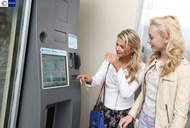
An interactive kiosk requires a considerable investment, but it’s still much cheaper than when the technology first emerged more than two decades ago. Back then, a fairly basic interactive kiosk cost about $25,000 as PCs and touch screens were much more expensive.
Today, you can purchase a typical interactive kiosk with a resistive touch screen LCD monitor, a standard enclosure, a printer, and software for around $3,000 to $10,000. The price will rise as you customize the machine. A fancy kiosk enclosure featuring a specially cut design and customized materials can add another $1,000 to $10,000 to your final bill.
An all-in-one countertop kiosk may start at less than $1000; a mini touch screen kiosk for credit card transactions is estimated at $729. Some businesses are now using tablets as mini kiosks, with touch screen tablet stands starting at $1000, not including the cost of the tablet.
You’ll also pay extra for additional components to your interactive kiosk. Upgrading to a laser printer can cost an additional $1000 to $2000, and higher-quality display screens and more advanced touch screens can add another $2,000 to $10,000.
While interactive kiosk pricing typically includes standard software, customized software can also add to your total costs. Customized software fees range from $3,000 to $20,000 or more, plus licensing fees of $500 per kiosk. If it’s not included, standard software, including automatic updates and 24/7 live help desk support, costs a few hundred dollars with discounts for multiple licenses.
You can get an interactive kiosk set up in as little as four weeks if you are using a basic enclosure and standard software. If your application requires extensive work and testing, you may be looking at six to 12 weeks before you can implement your kiosk.
Fortunately, most interactive kiosks don’t require formal training to operate. The installer will demonstrate how to set up and maintain it. Some sellers provide custom-tailored training programs for more complex kiosks.
Kiosk warranty information
Most interactive kiosk sellers will provide a standard warranty that will cover the hardware for one year but not parts and labor.
If you expect your kiosk to be used frequently, you may want to purchase an extended maintenance contract. This takes the place of your standard warranty and covers everything from the enclosure to software maintenance to touch screen displays. For 20% to 30% of the total cost of the kiosk, you’ll typically get one to three years of coverage.
Refurbished and used kiosks
If you just want to try out an interactive kiosk without the bells and whistles, consider buying used. Previously owned kiosks have become a separate industry. Vendors purchase fully-functional kiosks at cut rates from companies that went out of business. They then offer the interactive kiosks to businesses at a discount – as much as 35% to 50% less than a new one. You typically get a one-year warranty covering parts, labor, and customer service.
Keep in mind that there is a distinction between seller refurbished and manufacturer refurbished kiosks. A manufacturer refurbished kiosk may be available at 50% of the original price with a six month to one year warranty. A manufacturer may provide more reliability in refurbished equipment with extra customization options to boot.
Kiosk monitoring pricing
Vendors typically forge relationships with national and regional kiosk monitoring companies and subcontract them to do the work.
Monitoring contracts can cost as little as $20 to as much as $800 per month per kiosk, depending on the level of service, the number of kiosks being monitored, and when you request service – night and weekend service calls are pricier.
Additional fees
Installation – including unpacking, assembling (if necessary), and setting up the interactive kiosk – can cost $250 to $500. If you purchase custom software, you may be charged an additional $200 to $500, and shipping will add another $100 to $300 to those costs.
On top of that, extra costs may apply to industry-specific kiosk needs. For example, if you purchase a touch screen photo kiosk for your retail store, startup printing supplies may cost $400 to $600; replacement photo paper may cost up to $200, and replacement ribbon may cost up to $150.
Leases and rentals
Since owning and operating an interactive kiosk is so costly, leasing or renting a unit can be a cost-effective way to gauge if the investment will be worthwhile.
You can lease an interactive kiosk to spread out your capital expense – you won’t have to pay a lot of money up front, but you will be committing to a term of two to four years. Leasing rates are based on credit history and are finance leases. You make regular monthly payments for a period of time before executing a $1 buyout; end-of-lease purchase options are also available to buy the equipment for $1, Fair Market Value, or 10% of the equipment cost, depending on lease terms.
Renting is also common in the industry, and some sellers specialize in kiosk rentals. Kiosk rentals can be particularly advantageous for one-time special events, like advertising displays at trade shows. Short-term kiosk rental may start at $140 for a small event, $275 for a mid-size event, and $800 for a corporate event. iPad kiosk rentals are also available from $199.
Non-specialty interactive kiosk rentals may start at $500 to $1,000 per week, or $2,000 to $2,500 per month.
Buying tip: One-time kiosk rental costs may offer pay-per-use fees; these temporary rental setups are recommended for low volume kiosk use.
Kiosk Buying Tips
- Don't be afraid to start small. If you’re buying a kiosk for the first time, and you’re unsure what components it should have, start small. Go with a basic kiosk with just an enclosure, PC, and touch screen display. Since kiosks are modular, you can add components at any time, including card readers, bill acceptors, and even security cameras. You can even add a second display atop your kiosk to advertise your business.
- Make a kiosk more than your typical PC. Give your kiosk a different feel from a home computer. A kiosk should be an escape from the traditional PC and provide a new experience for users. If it looks too much like a work computer or the PC in the den, they may not use the kiosk because they assume they can get the same information from home.
- Offer customers cash options. To avoid paying credit card processing fees, businesses like restaurants and convenience stores can install ATM kiosks. Instead of using their credit or debit cards at the point of sale, customers can withdraw cash from their accounts without leaving the store. They get convenience while you pass the expense directly to them. Read more about ATMs here.
- Pay attention to kiosk cash security. For businesses that conduct cash transactions, safe kiosks count and collate large amounts of cash with extra-secure enclosures, increasing security and letting you avoid typical safe drops.
- Pay attention to kiosk data security. Hackers have used unattended employment application kiosks to gain access to corporate networks. Take measures to ensure your kiosk software provides the latest security provisions – although this probably won’t stop hackers entirely, it might slow their access enough to be stopped by another alert employee.
- Make kiosks easy to spot. A kiosk should stand out so it is visible to everyone passing through a location. If you can’t place it in a visible area, incorporate overhead signage – either an illuminated sign or a second display screen that alternates images and multimedia.
- Offer user-friendly features and tools. Make sure the kiosk you choose features quick navigation and easy to understand instructions. The kiosk should have short pauses between screen views and minimal click-throughs to get to the desired pages.
- Ease the customer's mind. As you design your kiosk, keep in mind the public’s concern about identity theft when entering private information. Make sure the kiosk clearly notes that all personal data they enter will be secured and protected.