
Buyer's Guide
Video Surveillance Introduction
From a single camera and monitor to complex video surveillance systems with hundreds of security cameras, multiple operators, and digital recorders, closed circuit television (CCTV) systems can provide security for a wide range of businesses.
A good video surveillance system can make your business safer, more efficient, and less prone to theft and accidents, with added benefits that include:
- Reduce shrink by catching shoplifters
- Visually deter potential thieves
- Monitor cash registers
- Record evidence to prevent bogus accident claims
- Identify visitors and employees
- Monitor hazardous work areas
- Increase security in and around business premises and parking lots
- Meet insurance requirements
The most basic CCTV setup is a single camera connected to a monitor and recorder that stores the video. While a setup like this could help security in some cases, it is unlikely to be enough for most businesses, with the current standard for most small- to medium-sizes businesses ranging between a 4-camera and 8-camera system. In some cases, you may even want a moveable camera to cover a large area.
This BuyerZone Video Surveillance Buyer's Guide will help you understand what goes into a video security system, how to compare CCTV sellers, and how to make a successful purchase.
The first step in your purchase decision is to evaluate the specific needs of your business and location. This section walks you step-by-step through the process of choosing the right setup and reveals how certain technologies and features can work better for you than others.
Evaluating Your CCTV Needs
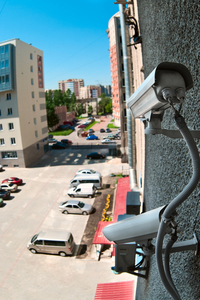
Before comparing systems or selecting potential sellers, sit down and carefully consider your needs.
First, figure out exactly what you want to monitor: General comings and goings? Vehicles and license plates? Do you want to see crowds or specific faces? Is there a particular category of merchandise you want to keep tabs on? With the answers to these questions, choosing CCTV components becomes easier.
Next, decide on picture quality. Quality can refer to both how detailed the image is and how fast the frame rate is. Frame rate is simply a measure of how many individual pictures make up the video. "Full motion," as seen on television and DVDs, is 30 frames per second (fps). The lower the frame rate, the less fluid and realistic the motion appears on the monitor. Higher frame rates capture motion more effectively but require more powerful lenses and video processors as well as a significantly larger storage medium.
The faster an object is moving (cars, for example), the higher the frame rate needs to be to record the subject with the desired level of quality. As a general rule, 30 fps is a good quality standard but frame rates as low as 15 fps can still produce a reliable image in slower settings. And if fluid motion is unnecessary for your business, lower frame rates (all the way down to 1 fps) can effectively monitor a location while providing a high degree of cost-effective operation and maintenance.
To select the proper fps, determine how your CCTV system will be monitored. Will you record 24/7 and only review the tape if a problem occurs? Or will you have a dedicated employee watching for trouble? Also, with multiple cameras, you have the option of connecting each to its own monitor, or combining multiple images onto one monitor through components known as quads and multiplexers.
Finally, decide whether your priority is to deter potential crimes or to catch perpetrators. Both can be important, but your priority will influence your purchase decision. If you’re more interested in deterrence, go with large, visible cameras. Catching criminals on tape or monitoring internal subjects without them being aware of it requires hidden cameras, costing more for both hardware and installation.
With your security and monitoring requirements established, the next step is to choose a camera setup that addresses those needs yet remains easy to use and cost-effective in the long-term.
Choosing Surveillance Cameras
The basic technology behind most surveillance cameras is the Charge Coupled Device (CCD). CCDs convert images into electronic impulses. In doing so, they provide a good combination of low price and quality picture for security applications, greatly improving the resolution of a modern camera when compared to older technologies.
Camera formats are measured in inches, with most varying between 1/4" to 1". This refers to the usable image size created inside the camera. For standard security, a small size is fine -- which is why 1/4" and 1/3" cameras dominate CCTV sales. Larger formats like the 1/2.5" can result in better images, jumping up from a 1.3 megapixel image to a 2 megapixel image. Used in large industrial applications, cameras of this size are also found integrated into the latest IP-based monitoring systems.
Many surveillance cameras also use digital signal processing (DSP) to convert analog video to digital information, improving picture quality and boosting functionality.
Color vs. black and white
Many businesses opt for color cameras over black and white models due to a recent and significant drop in price. For security and evidence purposes, color cameras are better. In fact, some sellers don't even offer black and white cameras any more. After all, sending police after "the man in the blue coat" is difficult when you can't tell what color the coat is.
While black and white cameras can operate better than color cameras in extremely low light situations, most small- to medium- sized businesses use CCTV in well-lit indoor environments, making them ideally suited to color cameras. In addition, many high-quality color cameras today can switch to black and white when necessary.
Resolution
Resolution refers to the level of detail in the captured image. The measurement to look for is horizontal TV lines (TVL). A normal surveillance camera picture is around 330 to 400 TVL, with high-resolution getting up to 550, 600 and even 700 TVL. Don't be swayed by pixel measurements in the hundreds of thousands. TVL is a more consistent measurement.
Upgrading your cameras can cost as little as $100 to 150 per unit.
But when considering an upgrade, make sure your entire system is capable of supporting the new resolution. For example, if your security recorder captures 330 lines and your monitor displays 400, upgrading to a camera capable of 600 TVL is useless as the improved resolution will be lost in the conversion. In the end, the small cost to upgrade your camera may be multiplied by the costs to upgrade other equipment.
Other specs
Signal to noise ratio (s/n) indicates how much "signal," or actual picture information, the camera transmits, as opposed to "noise," which comes across as static. An s/n ratio of 40db indicates that the signal is 100 times the noise, which results in an acceptable picture with some fine grain or snow. 30db results in a poor picture, and 60db produces an excellent picture with no static visible.
However, noise can also be introduced by other components in addition to the camera, including nearby electronic devices, machinery and wireless signals.
Sensitivity to light is measured in lux. The lower the lux, the less light you’ll need to capture a clear image. For example, a sensitivity of 2 lux means the camera can see fairly well by the light of a 40W fluorescent bulb. On the other end of the scale, a 0.5 lux rating indicates the camera can actually see better than the human eye in dark settings, making it ideal for nighttime surveillance. Though your needs will depend on available light in the area being monitored, lux ratings should not be the most important aspect of your camera decision.
There are a number of peripherals that can upgrade any camera to produce a much broader range of quality. Don’t overlook the following add-ons.
Surveillance Camera Peripherals
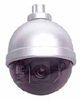
Along with surveillance cameras, you need several peripherals to make a system complete.
Lenses
As with regular cameras, the lens on a surveillance camera determines how wide an image is created and how much light is let in. Due to the optional and varying nature of the upgrades, lenses are generally sold separately from cameras.
The lenses you purchase should match the format of your camera: 1/4" lenses work best with 1/4" cameras. It is possible to use a larger format lens than the camera calls for, but it's not recommended.
You also need to decide what type of lens you need from the following options:
- Fixed focal length lenses offer only one set field of view and are the least costly, ranging from $20 to $25. But to change the resulting image, you need to switch lenses.
- Variable focal length lenses offer greater flexibility, allowing you to adjust your image's field of view. They cost between $30 to $50.
- IR-corrected lenses compensate for the infrared light (IR) spectrum that negatively affects the accuracy of color reproduction in a video image. But these lenses are not standard in most color cameras, resulting in images that can be clear in daylight but blurred in low light situations or vice-versa depending on the camera’s features. Ideal for monitoring an area with fluctuating light, an IR-corrected lens focuses visible and infrared light within the same vertical plane for an upgrade price around $40.
- Motorized zoom lenses, the most costly type available, give you the ability to control your surveillance cameras remotely. If you want to zoom out for general surveillance and zoom in for detail when you spot suspicious activity, motorized zooms are the way to go. But have your checkbook handy – it's not unusual to pay $300 to $350 for a motorized zoom lens with a 6-60mm range.
If you plan on using the surveillance camera outdoors, look for a lens with an automatic iris. Similar to the human eye, the iris of a lens controls the amount of light coming in to the camera. Automatic irises can significantly improve performance for outdoor cameras where light levels vary considerably. They range in cost between $20 to $50 depending on the focal length.
Pan, Tilt, Zoom
For advanced security applications, you may want a pan, tilt, and zoom (PTZ) camera. With the right equipment, a camera operator can pan (left and right), tilt (up and down), and zoom in and out. The significant catch is the cost: PTZ systems are considerably more expensive than fixed cameras, starting at $300 to $400 per camera on the low end, with mid-range options between $600 to $1,000 and high-end models costing $1,600 to $2,300 per camera.
Housings
Cameras may need to be protected from potential vandalism or climatic elements. Housings can range from simple coverings that cost in the neighborhood of $40 to impact-resistant protection and outdoor housings that include heaters and blowers for cooling, costing $60 to $150.
A more specialized type of housing is the dome: tinted Plexiglas hemispheres that prevent subjects from seeing which direction a camera is pointing. These components can cost $250 to $400, depending on indoor or outdoor installation and the resulting need for waterproofing.
For staff assigned to monitor your cameras, a decent set of monitors can provide both security and safety while cutting down on eye-strain. Here are some standards to consider.
Choosing Monitors for Surveillance Systems
Selecting a monitor for your surveillance system is a relatively minor decision, but there are a couple of important points to keep in mind.
First, purchase a monitor designed especially for the type of signal it will receive. Televisions are not good monitors since they're built to be on for only a few hours per day, not the 8 to 24 hours most monitoring situations require. Flat-panel LCD screens are currently the most popular because they take up little space, are more energy efficient, have excellent resolution, and generate less heat than the old CRT monitors.
In some cases, computer monitors make acceptable substitutes, enabling users to monitor a location from home or any other location with Internet connectivity via their laptop, smartphone or similar mobile device. This development has led to a moderate rise in IP-based solutions, with sellers and manufacturers developing new and forthcoming applications that will simplify the process for the end user.
As discussed earlier, make sure your monitor resolution matches your cameras. Monitors with a lower or higher resolution than your camera is capable of will result in a loss of image quality (and are a waste of money). The same is true of color. It kind of goes without saying, but make sure to purchase a color monitor when using color cameras.
Also consider the size. A 9" monitor may be sufficient if the operator is sitting directly in front of it but a 15" monitor is the smallest you should select if you plan to combine images from multiple cameras onto one monitor or have a dedicated employee with the ability to zoom in on suspicious activity.
Aside from camera resolution, the process of selecting the appropriate DVR is one of the most important steps when buying a surveillance package.
Security System Recording with DVRs
Recording is essential to the effectiveness of any video security system. Without recording, you need to have an employee watching a monitor at all times - hardly a cost-effective solution. And even if you spot suspicious activity, without a recording, you have nothing to use in court.
All current video security systems include a digital video recorder (DVR) to store the images the cameras capture. In the past, the universal solution was the VCR. But with the introduction of digital video, capable of conveniently storing and organizing hundreds of hours of security footage, the cost-effectiveness of the tapeless technology has dramatically altered the landscape.
DVRs offer so many advantages over VCRs, they have completely taken over as the predominant CCTV recording medium:
- Ease of locating events- Instead of fast-forwarding through hours of tape, DVRs can instantly retrieve images from any specific time or date, or automatically skip to the point on a recording when something changed.
- Storage quality- Video cassettes start deteriorating almost immediately once you record on them - and the resolution gets worse every time you reuse them. DVR recordings have no degradation at all since they are stored onto a hard drive.
- Multitasking- While analog VCRs can either record or play, DVRs can do both at the same time, letting you review images while still recording.
- Smart monitoring- The DVR can be set to take one picture per second or less - just enough to create a running record for weeks or even months. However when it detects motion, it can automatically bump the recording speed up to full (30 frames per second), capturing every detail of the activity.
Choosing a DVR
There is no magic number or spec here: you need to decide how "good" the recorded picture needs to be, either for your own use later or possibly for use in court. Sellers may be eager to throw compression settings, pixel counts, and other statistics at you. But those numbers are irrelevant if the picture itself does not offer the detail you need for legal or investigatory purposes.
The size of the hard drive will dictate how much you can record. On the low end, a 500-gigabyte (GB) hard drive will store about 500 hours of full-motion video from one camera. Units expand up to 3 terabytes (3,000 GB) and can store up to 16 channels (or cameras) worth of data over extended periods of time.
Also keep in mind: digital files are much easier to store than VHS tapes or even DVDs, transferred in minutes to an external or internal backup hard drive. In doing so, you can quickly free up space on your DVR.
Supplementary internal hard drives are a cheap way to boost storage capacity. With some DVRs, you can buy additional 500 GB hard drives for as little as $60 and 3 TB models for $175 to $250, swapping them in and out as needed.
Another consideration is how many cameras you want to connect to the DVR. Keeping potential expansion in mind, buying a higher-grade model to get more inputs and more storage space can save you considerable money in the future. The DVR will also function as a multiplexer, putting up to 16 cameras on one display and allowing operators to call up any one image for closer inspection.
Plus, with the growing popularity of IP connectivity, many models can be tapped into through your laptop, iPhone, Blackberry or Windows mobile device, allowing instant access and monitoring from any location.
Finally, if you ever have to use your security images – in court or otherwise – you'll need to be able to export the video. This is an important consideration: most high-end systems record video and images in industry-standard MPEG4 and JPEG files, which can be streamed through the web and played on any PC. They can also be burned onto a CD-RW or DVD-RW disc for viewing on any DVD or Blu-ray player. So when purchasing a system, make sure it offers some form of video export.
It’s time to determine if you need an installation that's hard-wired into your building or wireless. This can be largely determined by any existing wiring you currently have in place.
Hard-wired vs. Wireless
There are several ways to connect CCTV cameras to the rest of your system. Wired installations remain the most popular form of connectivity – present in over 90% of installations – a fact that is largely attributed to the reliability of a hardwired system when compared to the wireless alternative.
The most common type of wiring is standard coaxial cable, the same cable used to connect video equipment in your home. Some installers use unshielded twisted pair (UTP) cables, like the CAT5 cable used in many computer networks, because they can reduce interference caused by electrical currents. A simple switching device called a balun can connect coaxial lines to UTP cable so you can combine both in a single system.
The coaxial cable runs around $5 per foot, with UTP CAT5 cable costing anywhere from $4 to $6 per foot. Baluns run around $14 to $20.
In addition, casinos or banks with complex systems consisting of many CCTV surveillance cameras may want to upgrade to fiber optic connections. With this setup, bandwidth is considerably greater, allowing many signals to be carried on the same wire. Plus, security is improved due to the difficulty of tapping a fiber optic line without disrupting the signal.
Wireless
In most cases, wireless connections are not recommended for video surveillance systems due to cost, limited range and the unreliable nature of the current technology. While wireless technology has taken off in recent years, it simply has not reached the level of reliability that CCTV users demand. The frequencies they use are dependent upon a free line of sight for the wireless signal to travel and therefore subject to interference from cordless telephones, air conditioning, fluorescent lighting, and almost anything with an electric motor. So you should expect interference, usually resulting in a snowy picture.
In addition, CCTV surveillance cameras need electrical power – so you will have to run at least one wire to the camera even if the video connection is wireless.
There are situations where wireless is the way to go: connecting across a public street, for example, where digging a trench is not a practical solution. Wireless systems are also better suited to rural areas where fewer potential sources of interference exist. In these cases, wireless transmitters can make expensive or potentially impossible installations feasible.
Installation of wireless systems requires specific expertise to diagnose problems and fine-tune the setup. So make sure your CCTV surveillance camera seller is experienced with wireless setups if you choose to go this route.
It’s important to buy the best equipment you can afford as it will save you from having to upgrade for a few years or at least until the scope of your business changes. This is where a professional video surveillance seller comes into the picture. They can help you select the most appropriate setup that will provide long-term cost-effectiveness while ensuring every angle is covered -- literally.
Choosing a CCTV Seller
The overall success of your CCTV system can hinge on the expertise of the installers who set it up. There are many important factors to take into consideration that require an expert understanding of lighting, optics, wiring, security, and more. In other words, your experience connecting your home TV to the DVD player does not mean you should set up your business security system!
In the CCTV industry, businesses typically buy from integrators or dealers. These sellers usually work with multiple manufacturers to offer a range of products, as well as installation and support. As with most business purchases, there are several key factors to look for when choosing a CCTV seller.
Experience
A seller's experience in the industry is a significant indicator of the firm's reliability and long-term stability. As you expand or upgrade your system, you'll be working with your chosen seller on an ongoing basis. So choosing someone with reliable longevity is important. Specific experience with businesses of your size and within your industry is also desirable. For example, large warehouses may have issues that a seller who specializes in small retail shops may not be prepared to address.
Installation
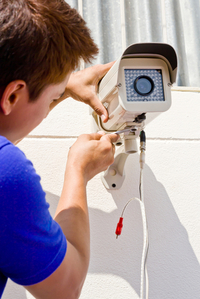
The quality of a CCTV installation can have lasting effects on your business. Qualified installers will not take a standardized approach to installation: they will analyze your needs and make sure you get a system that is customized to your location and needs. They will also provide enough training and documentation to ensure your staff fully understands the operation and maintenance of the system.
Facilities
Visiting a seller's facility can be a great way to get a sense of their operation (and how busy they are). You may also want to ask for an organizational chart or a tour of their help desk. Depending on your support needs, proximity may or may not be important to you. If you plan to rely on telephone support and ship components back and forth for repair, it won't matter. But if you expect field technicians to come to you, distance from the seller can be a factor, especially if hourly rates are assessed for certain services.
Demonstrations
Nothing provides a better sense of how well a CCTV system achieves your goals than seeing it in action. Some sellers conduct on-site demos, affording you the added advantage of being able to see how the hardware looks in your location. Others invite you to try the system in their office or set up an online demo, which is helpful if you plan to view images remotely.
References
Another way to investigate CCTV sellers is to ask for references from other customers with businesses similar to yours. Of course, they'll refer you to their most satisfied customers, but you can still learn quite a lot. Here are some sample questions to ask the references:
- How has the CCTV system accomplished the goals you set for it?
- Are you happy with the overall quality of the images, both live and recorded?
- Was the initial installation sufficient for your needs? Or did you have to add components or upgrade?
- What do you wish you had done differently?
- Have you needed any support or repairs? How did the seller respond?
- Do you know of anyone else who uses this system? (This can get you additional references to speak to, some of whom might be more candid.)
- If you had to say one negative thing about the system/dealer, what would it be?
In the next section, we’ve compiled a series of video surveillance prices from a wide range of customers and sellers. Use the following information to make sure you negotiate the best deal.
Video Security System Pricing
There are many components to video security systems: cameras, monitors, recorders, and cabling to connect the system. Due to the necessary quality of installation, it should be apparent that shopping by price alone is not a good approach. Some dealers will put together low-end packages to try to lure price-conscious shoppers. But these systems often suffer from lower quality, shaky reliability, and will not last the way higher quality systems will.
On the Internet, you can find complete video security systems of 4 to 16 cameras, including a monitor and DVR. They look like great deals but are usually too good to be true. These low-quality components and a lack of professional support typically do more harm than good to your business.
Final cost depends on the specific components you choose and how you opt to have the system set up, but for small- to medium-sized businesses, a very rough rule of thumb for pricing a complete, installed video security system is $300 to $1,000 per camera. However, it does pay to shop around as there are sellers who can deliver a full system for $125 per camera. This price range would typically include an 8-camera setup, monitor and DVR.
Those requiring industrial solutions can plan on nearly doubling that cost, with the same 8-camera package running between $13,000 to $14,000 total for a fully-installed system that integrates top-of-line functionality.
Cameras and lenses
Basic CCTV cameras are not very expensive. Because the hardware cost is fairly low, it's worth spending a little extra money to get better system performance. Brand name cameras can be found for $80 to $160 and are often a better investment than a no-name camera. Prices vary according to features as well -- larger formats, higher resolution, IR conversion, and better sensitivity all drive prices up.
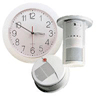
Hidden cameras, concealed in everyday objects like clocks, smoke detectors, and fire sprinklers, run $100 to $160. PTZ cameras are far more expensive, running $300 to $2,300 per camera (with accompanying controller) before installation. If you don’t have an operator to run a PTZ camera, they're rarely worth the expense.
Remember that in most cases you are purchasing a camera without a lens, so there is more to spend before you get a workable system. Lens prices vary widely. Fixed focal length lenses can go for $20 to $50 depending on size and whether they have a manual or auto iris. Automatic zoom lenses can be between $300 and $350 before installation.
Recording devices and peripherals
This is another area where your needs will determine how much you spend. Quality DVRs generally start at $500 to $1,400 for a four-channel device, and get more expensive the more memory and inputs you add, ranging up to $2,500 for 8-channel models.
Housings can cost anywhere from $40 to $400, depending on the degree of protection they provide.
LCD monitors typically run around $200 to $300 for screen-widths from 17" to 22" and reach up to $900+ for 32" versions and those with deluxe features.
Warranties on video security systems
As with most modern electronics, CCTV components are generally very reliable, especially if you are purchasing industry-recognized names. Therefore it's usually not worth purchasing the extended warranty coverage that sellers offer.
However, you may want to consider a maintenance plan for your video security system. Having your installer regularly come in to clean and test your system can improve the overall performance, longevity and ensure that any problems that do occur are caught quickly.
Some sellers provide a full year of coverage for around $250 while others set a monthly minimum of $50 and a max of $5,000 per year, depending on the level of service you require. A third option is also available through sellers who pair their components with monitoring services. These companies will typically provide monthly maintenance for a percentage of your monitoring fees.
Interestingly enough, the more you pay for a surveillance system up front, the more affordable the maintenance plan tends to be. Similarly, cheaper systems are often backed by costlier post-sale monthly service.
Security Camera Buying Tips
Know what you want to see. A clear understanding of exactly what you want to see in the monitor and on recordings - both the scene and the quality - is the single best way you can prepare for buying security cameras.
Avoid dummy cameras. While they may deter some problems, they also can create a legal liability by creating an expectation of safety when none exists
Put up signs. Highly visible signage that lets customers and employees know they are being filmed can greatly increase the deterrent effect.
Do not record audio. Most CCTV systems do not include audio monitoring for the simple reason that it's typically illegal in most states. People in public places can be videotaped without their consent, but their voices can not.
Buy for the right reasons. Using a high-tech solution to solve a low-tech problem can result in wasted money and effort. If you have vandalism problems in a parking lot, adding lights can be a far cheaper and more effective solution than installing commercial security cameras.