
PowerPoint Projectors Should Enhance Your Business Presentations
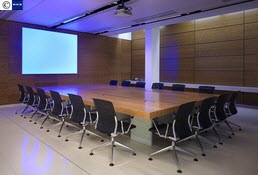
When choosing an LCD projector for your PowerPoint presentations, you'll have to be familiar with several different specs. Resolution and brightness are two of the most important - and finding the right source for your PowerPoint projector is the best way to get the specs you need.
Resolution
Resolution refers to the number of dots of light that make up a projected image. Choosing the right resolution for your PowerPoint projector is as easy as knowing the resolution of your computer. If you plan on upgrading your PC soon, buy a projector with a fairly high resolution that will match newer laptops.
The two most common resolutions right now are SVGA (800x600) and XGA (1024x768). Higher resolutions like SXGA (1,280x1,024) will dramatically increase your costs but can look great when paired with the right computer. VGA (640x480) is no longer an acceptable resolution, and you would be hard-pressed to find modern projectors that support it.
Take care to note the native resolution of the PowerPoint projectors you're interested in - while a projector may support several different resolutions, there is one native resolution at which it works best.
However, your presentation won't come to a screeching halt if the resolution on your notebook and PowerPoint projector differ. Most projectors offer interpolation, which expands or compresses the pixels to match the two resolutions. Unfortunately, this degrades the sharpness and readability of your images, so detailed text or high-resolution graphics will suffer.
Brightness
The second key spec to look for is brightness: if the image from your PowerPoint projector isn't bright enough, your presentation will really suffer. The standard measurement is ANSI lumens, and projectors can range from under 1,000 to 10,000 or more.
For typical small conference rooms, 1,000 to 2,000 lumens should be plenty. If you can turn down the lights, you can get away with a PowerPoint projector closer to 1,000 lumens; if you're not sure, you may want to lean towards the higher end. Particularly sunny conference rooms can demand 2,500 lumens or more - or some blinds.
Keep in mind that projector screens are much better reflectors than plain walls, so they make projected images much more visible. And of course, a projector destined for use in a large auditorium will need a much higher brightness rating.
Choosing a PowerPoint projector dealer
Try to resist the urge to turn your search into a bargain-hunting expedition. It can be tempting to buy a PowerPoint projector from the cheapest source you can find online, but the projector you buy should be an investment that you're happy with for years to come.
The best way to make sure you get the projector with the right specs for your exact situation is to talk to several qualified dealers and compare their offerings and expertise. Ask questions about their customer support policies, prices for replacement bulbs, and experience in the industry and you'll be able to find a reputable dealer who will make sure you get the right projector.
Ready to start talking to PowerPoint projector dealers? Fill out one simple form and we'll connect you to multiple leading providers in your area - completely free. Try our free LCD projector quote request today.
Ready to Compare Projectors Price Quotes?